Libre Office Writer
-
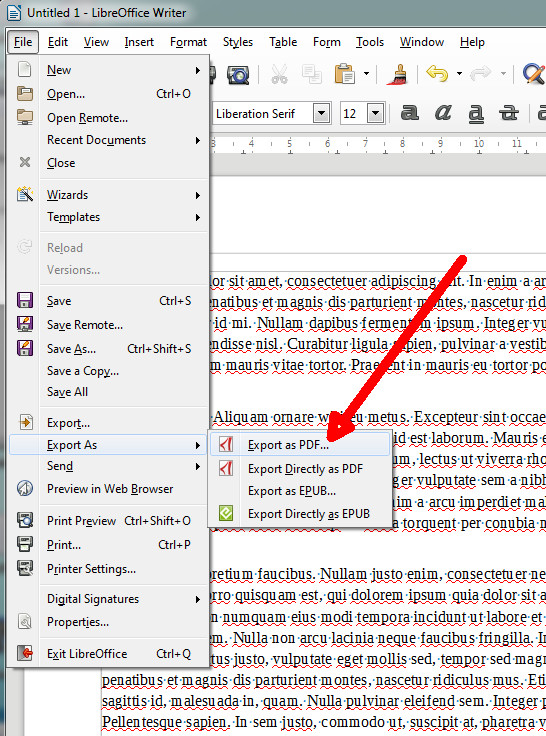
Under “File”, select “Export to PDF”
-
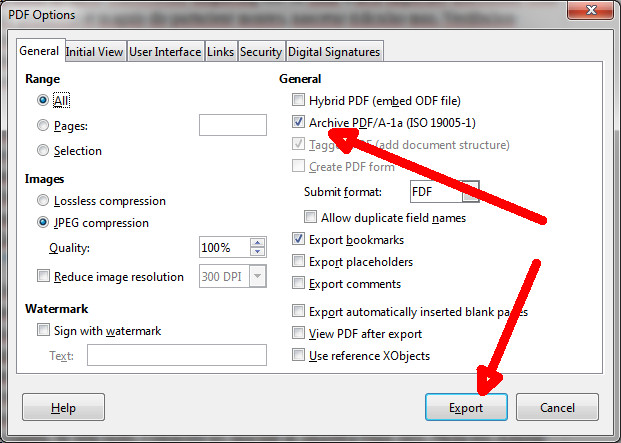
In the window “PDF options”, select “Archive PDF/A-1a (ISO 19005-1)” and export the document by clicking on “Export”.
-
Save the document in the usual manner.


Under “File”, select “Export to PDF”
In the window “PDF options”, select “Archive PDF/A-1a (ISO 19005-1)” and export the document by clicking on “Export”.
Save the document in the usual manner.